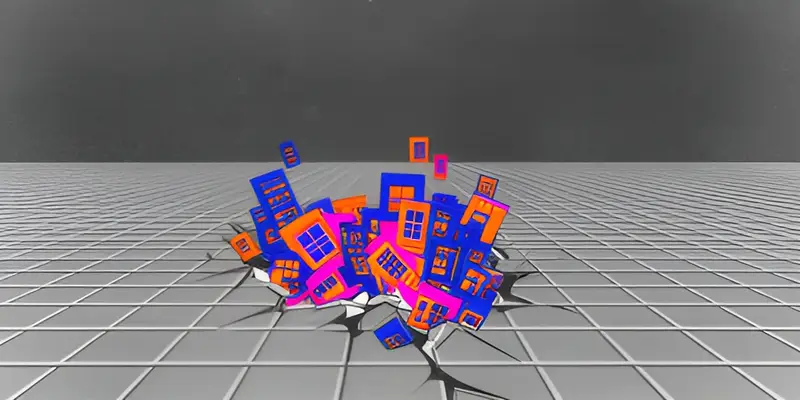
In January I built this site with four prompts to my Clawdbot, lying in bed, between 6:23 and 7:15 in the morning. It worked. I was proud of it for about a week.
But it looked like every other site built with AI. Which makes sense. Same tools, same defaults, same result. Slop? Not quite. Slop is low effort and filler. This was something else: everything converging on the same grey, when we can do so much more. So I rebuilt it to diverge, on purpose.
There was no one-shotting it. It took well over a hundred messages across two days, and it still isn’t done.
I had two reasons for the rebuild:
- To show what I build, now that anyone can build with AI.
- To tell my story. The real one, the one that doesn’t fit in a CV.
Part 1: When anyone can build anything
The code is close to free now. If anyone can build, and anything can be built, the hard part moves. The questions now are “should you make it?” and “can you make something worth visiting?”
The AI wrote everything here: a tiling window manager, a terminal with a filesystem, nine themes, a Worker that runs live models, the tests, the accessibility fixes, and the limits that stop a stranger from running up my bill. (Please don’t test that last one.) I didn’t write a line of it.
So what did I do? I use AI every day. The question is how you direct it to make something that stands out. Looking back over those two days, my messages fell into five kinds:
- Polish and bug fixes
- Empathy for the visitor
- My own story
- Outside inspiration
- Don’t trust. Verify.
AI will soon handle polish by itself. The rest still need a person, at least for now.
1. Polish and bug fixes
This was the biggest pile of work, and the least interesting. Transitions that flashed (I sent that one back four times). Windows too solid. Text too small in the side windows. A cursor that wasn’t active when you landed in the terminal. q closing the wrong window.
I expect this pile to shrink fast, and in time to go away. The AI already opens a browser and tests its own work, and the loop of build, check and fix gets tighter every month.
2. Empathy for the visitor
The second kind was about the person on the other side. A site that looks like an OS has a cost: out of the box, it can feel confusing. So I kept working on the questions every visitor has. Where am I? Where should I go next? Can I dig deeper and still feel safe?
Menus became file trees, with a README.md where “Overview” used to be. Every page ends with a small “where next” window: n for next, b for back. My CV moved out of the story into its own folder, so the story could be about ideas. Bets and tools start closed, so the first thing you see is the work. Each lab page puts the demo first and the explanation below it. On a phone, the windows turn into a carousel you swipe through. I’m still adding to this.
The AI can organize. It can’t sit where a stranger sits and feel lost. That’s still my job.
3. My own story
The AI writes fluent text about anyone. Fluent isn’t the same as true to you.
My path is more unusual than most, or at least it feels that way. A story is more than facts. It’s how I got here, the failures, what I learned, and the views worth sharing. It’s what I love, and my own brand of nerd.
That takes order, so a stranger can follow it. It also takes showing instead of telling: the ideas, the approaches and the builds are all on the site, for you to open.
The home page is a small example. A draft opened with counts: products shipped, clients served. Counts change every month. I wanted it to say what I love working on: hard problems, solutions that hold together, and building on whatever new technology just made possible.
4. Outside inspiration
Left alone, an AI builds the average of everything it has seen. It’s trained to please, and the training that teaches models to give answers people like also narrows how much their answers vary. Getting to something special takes a push from outside.
My push came from things I love:
- Omarchy, the Linux desktop I use every day (more on that below).
- Sites that act like a desktop, such as PostHog’s, and the personal sites that borrow the idea.
- The flurry of demos and experiments I saw from engineers at Cloudflare Connect, including Jordan Coeyman (coey.dev) and Zeke Sikelianos (zeke.sikelianos.com).
- New toys, like Clef and Clairic, the models Cloudflare shipped this month. I wanted visitors to touch them, not read about them.
So the site became a desktop with workspaces and keyboard shortcuts. A lab with live models. Cover art made by an image model, which you can re-roll if you don’t like it. A 404 page where the OS crashes. A terminal with commands I won’t list here.
None of that comes from “build me a personal site.”
5. Don’t trust. Verify.
The last kind only I could do. AI can make up facts, get things slightly wrong, or simply not know. Only I know my own history.
Some of the errors were small. But a site about me that gets me wrong is worse than no site.
Part 2: More than a CV
The second reason was my story.
I’ve always found it hard to tell. On paper it looks scattered. A degree in materials engineering, then a turn to biology, then an obsession with neuroscience and the science of the mind. Early startups in research, biomedical science, child safety and cancer care. A heritage building, consulting, a rent platform. Now I’m taking apart inference, the new oil, to see where it goes next and where the smart bets are.
To me it’s one thread. I keep chasing the same question: how do simple parts make something that behaves like more than their sum? It took me from nanomaterials to cells to minds, and later to companies and markets. I read widely, I jump between fields, and I like trying to see where things are going before they get there.
A CV can’t show that. So the site tells it in four eras, each with its own look, and what I learned in each. The CV sits beside them in its own folder, for the facts.
A few parts of the site tell that story better than words can.
The Omarchy desktop
The biggest change to how I work in the past year was moving to Omarchy, in December 2025. The terminal, the tiling windows, the keyboard for everything. The learning curve was steep, and it paid off. I got obsessed. I keep buying old laptops just to put it on them, and I’ve sent a few fixes to the open-source project.
So when I wanted a site that was opinionated and downright nerdy, why not make Omarchy my main inspiration? It’s how I work every day, so it’s how the site looks. Every theme on the site is an Omarchy theme.
It also points at one of my bets: a malleable OS, one that you and your agents reshape to fit you. Omarchy is the best example of that I know.
The lab
Curiosity. When a new model comes out, I want to try it that day. The lab is where I do that in public. Point your camera at Clef. Talk to Lens, my coaching app for smart glasses. Watch Callozum decide where each piece of a request should run. If a demo stops working, it got more use than I planned for.
The terminal and whoami
It started as a joke on whoami, the Unix command that tells you who you’re logged in as. Type it on my site, say yes when it asks, and Clairic guesses who you are and why you came, from what you looked at this visit. Then it suggests where to go next. forget clears it.
Then it grew. ls, cat, tree and nvim work on the whole site. You can send me an email from it. There are easter eggs, because it’s fun.
It also stands for two things I believe. First, headless apps: now that agents use software too, the interface with no buttons matters more and more. Second, Linux itself. A click interface limits you to the actions someone chose to show you. A terminal gives you the whole surface.
The whole surface
That’s also the lesson of the rebuild.
One prompt gives you the default, the same way a menu gives you the buttons someone picked. To get something special, you go past the menu.
The code was the easy part. The choices, and the taste behind them, are the product.
Open the terminal on the home page. Type whoami. Tell me if it guessed right.